Showing posts with label comparison. Show all posts

Mar 13, 2015

Metronome Apps: What's Good and What's Bad? (Android)

As a musician, my most used piece of equipment that I use next to my instrument is my metronome.  However, I have had a bad habit of constantly forgetting and leaving my expensive Dr. Beats somewhere and losing them forever, a problem I don't have with my phone (especially since if I misplace it I can call it and find it).  As such, for the past few years I have used various metronome apps to help practice.

Recently, my old metronome app which I have used the past few years has gotten subpar.  With pop up ads and such trying to install adware on my phone, I have had to migrate to a new app which won't try to hijack my phone.  As such, I decided to compile a list of metronome apps as well as catalogue some thoughts on the matter.

As such, I have some criteria on the matter as for what I look for in a metronome.  They are as follows:

1) Free.  Kinda obvious.  I'm cheap.

2) Noninvasive ads.  My last app started to do a lot of annoying and dangerous pop-ups.  I want to make sure that any other app I use doesn't do that.

3) Safe Permissions.  A Metronome doesn't need to access my camera, SMS, or call history.  Seriously.

4) Loud.  I play pretty loudly as befits an orchestral musician.  I want to make sure that I can hear the met even when playing fff.

5) Good sounds.  Good sounds project and are easily heard, yet short enough that the sound doesn't last too long and muddle the beat.  I lean towards electronic sounds since they feel more accurate to represent the beat.

With that list, I set forward and found the following apps:


This is the first metronome app I used.  I'm putting this here not only to warn people to stay away from it (until the developer fixes the ads, if ever) but because it was a great metronome.  It was loud, had a sound selection, and was pretty good.  Sometimes it would skip or mess up a beat but overall it worked quite well.  Recently the free version has turned into an ad-infested crapfest so stay away from it for now.


This is the app I am now currently using.  It's functionality is much the same as the old Mobile Metronome app but without the adds.  The permissions make sense and aren't intrusive.  The subdivisions are very customizable and nice to use.  It has in-app purchases, but so far I haven't felt pressured to buy them and they don't gimp the effectiveness of the app.  Overall very good, and I would recommend it.  The UI is very clean as well.  The only downside to this app is that the range of tempo is a little low, from 30 to about 240.  I wish they would increase the maximum tempo, but other than that I have no complaints about this app.


The good: Free, some cool subdivision options, and allows .wav samples to customize the sound.  However, the sounds that come with the app are pretty subpar.  I personally don't want to spend time to customize the met to be what I want it to be.  Also I think the UI isn't as good as 7 Metronome.  It could be worth it if you need help with a complicated rhythm, but the fact that the lack of customization on out-of-box makes it lackluster.

This app is the other app that contests with 7 Metronome, but after some fiddling and working about I chose 7 Metronome instead.
This app, like the Drummer's Metronome, allows for sound customization.  The sound of the metronome itself is clear and has a wide tempo range, from 1 to 300.  I felt the UI felt a bit clunky and I didn't want to mess with out of box settings since I feel all metronome apps should work right from downloading.  However it is worth checking out.
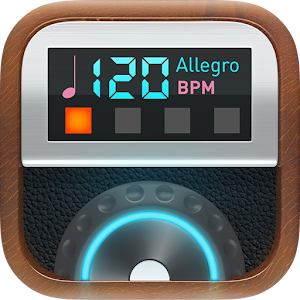


I honestly wanted to like this app.  It has the greatest range of any metronome from 20 to 500, and a nice amount of features, a range of sounds, and so on.  My primary problem with it is that the subdivision section of the app is under a pay wall and is hidden in a sub menu, while other met apps have all the important features right in front of you when you launch the app.  While it is fairly cheap for an app and is a solid metronome, I'm cheap and don't like spending money on an app when there are other apps which do the same stuff about the same or better.

These are just my opinions on these apps.  If you want to explore a bit more on them try them out yourselves!

Also this is apparently my yearly update hahaha.  I want to keep up this blog but writing is hard =(

Jan 28, 2010

[Tech]iShenanigans


I was going to do a music post, but then I realized that something else was much more important.

Okay, actually it isn't important at all, but it's newer while the music can wait a bit, and I like being on top of news sometimes.

Anyways, Apple released the newest of overpriced shenanigans yesterday, naming it the iPad.

Period jokes aside, I'll take a quick look at the more technical parts and see if it's worthwhile, as well as it's shortcomings.

Problem 1: I think this is the biggest problem of the apple product, and that is NO FLASH SUPPORT. If you make something that is basically an ultra-portable laptop, you're really gimping your experience without being able to play your social networking games on facebook, or scrabble or whatever. I assume that this means it also won't have Java, or at least a very limited amount. For what it's supposed to do, I think this is gimped, especially if you consider that this isn't because flash is hard to implement, but because Apple wants to sell you deliciously cheesy apps for 99 cents. In other-words, it's just to drain money.

Problem 2: It's a large iPhone. It works pretty much exactly like an iPhone, except much more expensive if you want the 3G coverage. Also it becomes much more unwieldy. How are you going to put it in your pocket? Does anyone actually have 9.7 inch pockets? Is Apple going to design apple-designer clothing with pockets specifically built for the iPad? I wouldn't put it past them considering they're practically the new church of Scientology, but short of another way to make money I think it's unnecessarily unwieldy.

Problem 3: Lack of keyboard. When you make a larger screen for internet browsing, you start wanting a keyboard for you know, blogging and such. While Apple does sell a keyboard add-on, why not just buy a laptop instead? It's just like the Wii; you have to buy 7 different peripherals just to play a game. Hidden costs sucks. For a ps3 or 360, all you have to do is buy the game except for DDR and Guitar Hero and you're good to go.

Problem 4: Price. The pricing for this is just ridiculous. It STARTS at $400. Sure it's light, from all reports pretty smooth, has wifi/3G access, and has a 1ghz processor, but should that really cost $500 for an ENTRY level? just for kicks, I will compare it to something else that does exactly the same thing. A netbook.

I will compare the current cheapest netbook on newegg, the MSI Intel Atom 270 vs the latest and greatest of shiny things, the iPad. I'm even going to compare the MSI to ALL iPad, meaning that the best specs of the iPad at ANY level verses the MSI at it's specs.

COST:
MSI - $279 free shipping
iPad - $499 introductory price (I assume free shipping as well)

Pretty simple here. MSI is cheaper all round.

Screen Size:
MSI- 10''
iPad - 9.7''

MSI wins, but the iPad has better resolution from what I hear (1024x768). I'm not too surprised, as this is the cheapest thing out there. If I added another $100 the netbook shopping I could find a better one. And it would be still cheaper.

Weight:
MSI- 2.7 lbs
iPad - 1.5 lbs
A difference, but 2.7 pounds is still incredibly light. Grow stronger if you cant transport it.

Processor:
MSI - 1.60 GhZ
iPAd- 1GhZ
I'd actually expect that the iPad would be faster, but I guess not.

Ram:
MSI - 1GB
iPad - 256? 512?
I'm unsure of what iPads RAM is, but I've heard anywhere from 256-512 so I'm putting those numbers down. Apples site has nothing about it. If anyone knows more let me know.

Hard drive:
MSI - 160GB sata
iPad - 16-64Gb flash
MSI's sata drive holds more and lasts longer. Flash memory cannot overwrite itself as many times without crashing. However, it is much faster and since there are no moving components takes up less space, hence smaller and lighter.

Battery Life:
MSI- "not amazing but good"
iPad - 10 hours
For some reason I can't find MSI's battery life. It is only a 3 cel-lithium battery, but I'm not too surprised about it as they were cutting costs. I'm guessing 5ish hours, give or take.

Wifi:
MSI- Wlan
iPad - Wi-fi and/OR 3g network (3g costs like $150 more)
MSI apparently has some problems with getting decent wi-fi, but it would probably work in buildings so it isn't horrible. iPad's wifi stuff is probably more reliable, but again it's at least twice the cost.

Camera:
MSI - yes - 1.3 megapixels
iPad - no?
I'm pretty sure iPad doesn't have one. Someone let me know if it does.

Sound:
MSI - sound blaster speakers + headphone jack
iPad - essentially the same thing

No big difference there.

OS:
MSI - XP home
iPad - whatever they use

XP home isn't the best, but it's okay. Newer models have windows 7 on them, but cost more. And yes, I have had no problems with windows 7.

I think that's it for comparisons. In other words, you're paying another $250ish + for a gimmick and a pound less wight.

And if you REALLY want a cheap netbook with OsX, get a Dell mini 9 and follow this handy dandy guide to get OsX on your netbook.


That's it for now. I will do a music blog soon as I have it kinda set up, but I want to wait a bit before posting it. Also I'm lazy enough to not bother with writing it yet.

Some other articles about the iPad from gizmoto:
Ipad is Gadget we never knew we needed
iPad just tried to assassinate the computer
8 things that suck about the iPad

Till later then!