As a musician, my most used piece of equipment that I use next to my instrument is my metronome. However, I have had a bad habit of constantly forgetting and leaving my expensive Dr. Beats somewhere and losing them forever, a problem I
don't have with my phone (especially since if I misplace it I can call it and find it). As such, for the past few years I have used various metronome apps to help practice.
Recently, my old metronome app which I have used the past few years has gotten subpar. With pop up ads and such trying to install adware on my phone, I have had to migrate to a new app which won't try to hijack my phone. As such, I decided to compile a list of metronome apps as well as catalogue some thoughts on the matter.
As such, I have some criteria on the matter as for what I look for in a metronome. They are as follows:
1) Free. Kinda obvious. I'm cheap.
2) Noninvasive ads. My last app started to do a lot of annoying and dangerous pop-ups. I want to make sure that any other app I use doesn't do that.
3) Safe Permissions. A Metronome doesn't need to access my camera, SMS, or call history. Seriously.
4) Loud. I play pretty loudly as befits an orchestral musician. I want to make sure that I can hear the met even when playing fff.
5) Good sounds. Good sounds project and are easily heard, yet short enough that the sound doesn't last too long and muddle the beat. I lean towards electronic sounds since they feel more accurate to represent the beat.
With that list, I set forward and found the following apps:
This is the first metronome app I used. I'm putting this here not only to warn people to stay away from it (until the developer fixes the ads, if ever) but because it was a great metronome. It was loud, had a sound selection, and was pretty good. Sometimes it would skip or mess up a beat but overall it worked quite well. Recently the free version has turned into an ad-infested crapfest so stay away from it for now.
This is the app I am now currently using. It's functionality is much the same as the old Mobile Metronome app but without the adds. The permissions make sense and aren't intrusive. The subdivisions are very customizable and nice to use. It has in-app purchases, but so far I haven't felt pressured to buy them and they don't gimp the effectiveness of the app. Overall very good, and I would recommend it. The UI is very clean as well. The only downside to this app is that the range of tempo is a little low, from 30 to about 240. I wish they would increase the maximum tempo, but other than that I have no complaints about this app.
The good: Free, some cool subdivision options, and allows .wav samples to customize the sound. However, the sounds that come with the app are pretty subpar. I personally don't want to spend time to customize the met to be what I want it to be. Also I think the UI isn't as good as 7 Metronome. It could be worth it if you need help with a complicated rhythm, but the fact that the lack of customization on out-of-box makes it lackluster.
This app is the other app that contests with 7 Metronome, but after some fiddling and working about I chose 7 Metronome instead.
This app, like the Drummer's Metronome, allows for sound customization. The sound of the metronome itself is clear and has a wide tempo range, from 1 to 300. I felt the UI felt a bit clunky and I didn't want to mess with out of box settings since I feel all metronome apps should work right from downloading. However it is worth checking out.
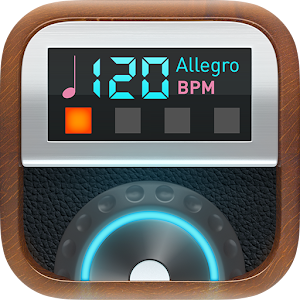
I honestly wanted to like this app. It has the greatest range of any metronome from 20 to 500, and a nice amount of features, a range of sounds, and so on. My primary problem with it is that the subdivision section of the app is under a pay wall and is hidden in a sub menu, while other met apps have all the important features right in front of you when you launch the app. While it is fairly cheap for an app and is a solid metronome, I'm cheap and don't like spending money on an app when there are other apps which do the same stuff about the same or better.
These are just my opinions on these apps. If you want to explore a bit more on them try them out yourselves!
Also this is apparently my yearly update hahaha. I want to keep up this blog but writing is hard =(